Operators work from stale screens and paper.
A tool went down an hour ago and the board still says running; the instruction is a binder by the machine.
Every screen, live.
Saved at the press, seen in the quality office the same moment.
- Nothing to refreshLists, boards, counts update themselves.
- Who else is hereSee who has the record open before saves collide.
- Only what can be doneA refused action is greyed, with why.
- Never silently staleOffline is said; what was typed is kept.
In the demo: The assembly and test line
Lot 4712
- State
- Processed
- Good
- 580 kg
- Scrap
- 20 kg
Lot 4712
- State
- Processed
- Good
- 580 kg
- Scrap
- 20 kg
The line, seen from above.
Your floor plan, each tool lit in the colour of its state.
- Drawn by draggingDrop a tool on the plan; no drawing program.
- Red everywhere at onceA tool down shows on every board.
- Wall board to phoneOne layout, every screen; tap a tool to open it.
- Each person's viewOnly the tools they may read.
The instruction at the station, a step at a time.
PDFs, videos and drawings kept with the designs, shown for the lot in front of the operator.
A step at a time
A page or a video step to fit the screen; big buttons for gloved hands.
Each step recorded
A click, a value, a photo or the machine marks it done, in the audit trail.
Only the certified
Records and transactions kept to those who hold the certification.
No mouse at the station.
Scan, Enter, next lot. Every form works from the keyboard and the scanner.
- Routed by its labelA read lands in the input its label names, wherever the cursor is.
- One GS1 label, several inputsGTIN, lot and serial each go to their own; the scanner's framing is stripped.
- Input flowsWhich input next, which question for a held lot.
- Panels that explain themselvesA ? opens each panel's guide, drawn from its design.

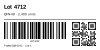
The label, printed by the transaction.
Designed in the browser, approved like any design, printed when the run is saved.
- Drawn by draggingText, barcodes, QR codes, lines, boxes and pictures, placed in millimetres.
- Barcodes built inCode 128, GS1-128, EAN-13, Code 39 and QR, seen before anything prints.
- A step of the transactionQueued with the save: a run that went through has its labels.
- Every job keptRetried when a printer is away; a failure shown on the monitor, in words.
A kiosk, designed like any screen.
Large buttons with pictures, and what the one pressed opens shown beside them.
Buttons with pictures
A button takes a picture and a height: a tile to press, its label over the picture.
A screen or a transaction
It opens another screen or a transaction's form, over the page or in a panel of the kiosk.
A row opens its card
Press a row of a list and a screen opens on that record, in a dialog or beside the list, which stays where it is.
Each button is offered only to those who may open that screen or run that transaction.